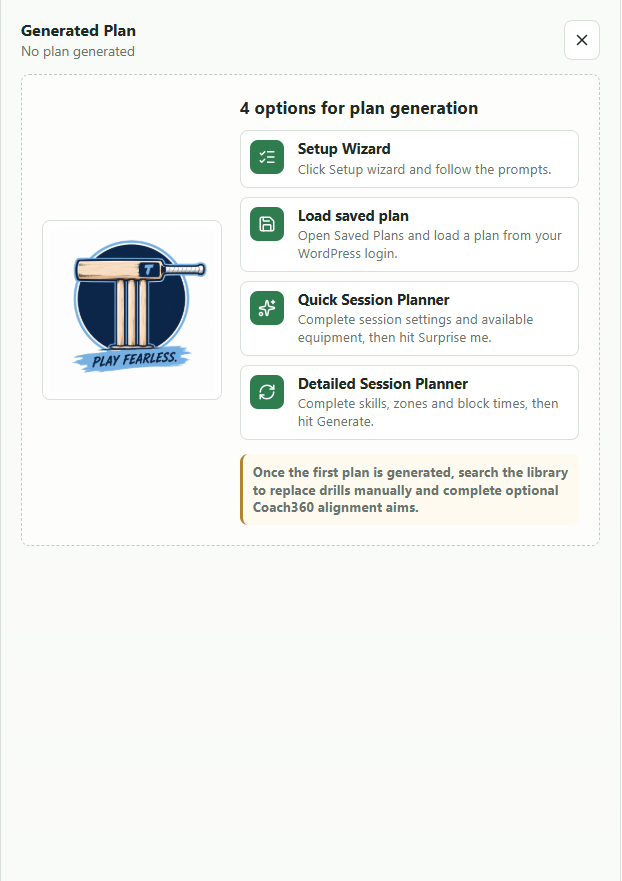
Choose a planning path
Use Setup Wizard, Quick Session Planner, Detailed Session Planner or Load Saved Plan.
OPSPS demonstration
A cricket coaching planner that turns session goals, available equipment and coach notes into practical station plans, coach copies and player copies.
What it solves
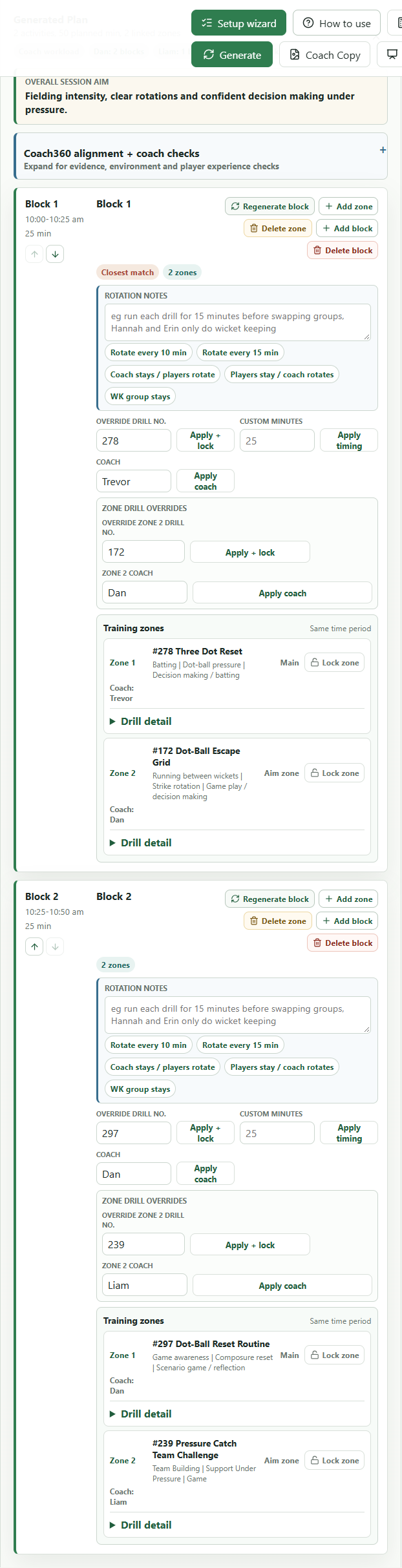
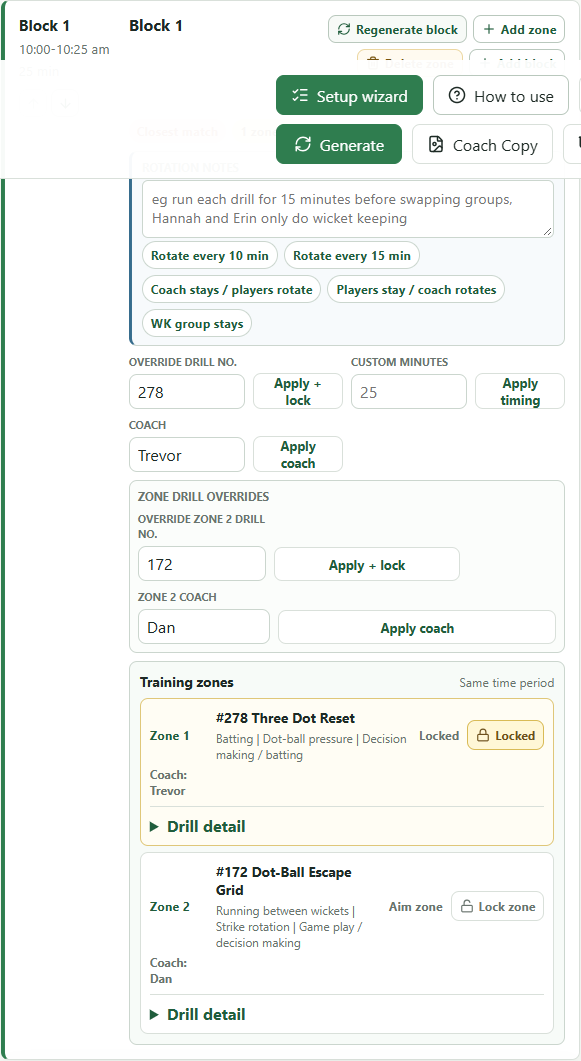
Coaches can generate a session from a setup wizard, a quick match-review note, or a detailed set of session aims. Once a plan is generated, coaches can adjust blocks, zones, drill numbers, timings, rotation notes and printable copies without rebuilding everything from scratch.
Coach workflow
Use Setup Wizard, Quick Session Planner, Detailed Session Planner or Load Saved Plan.
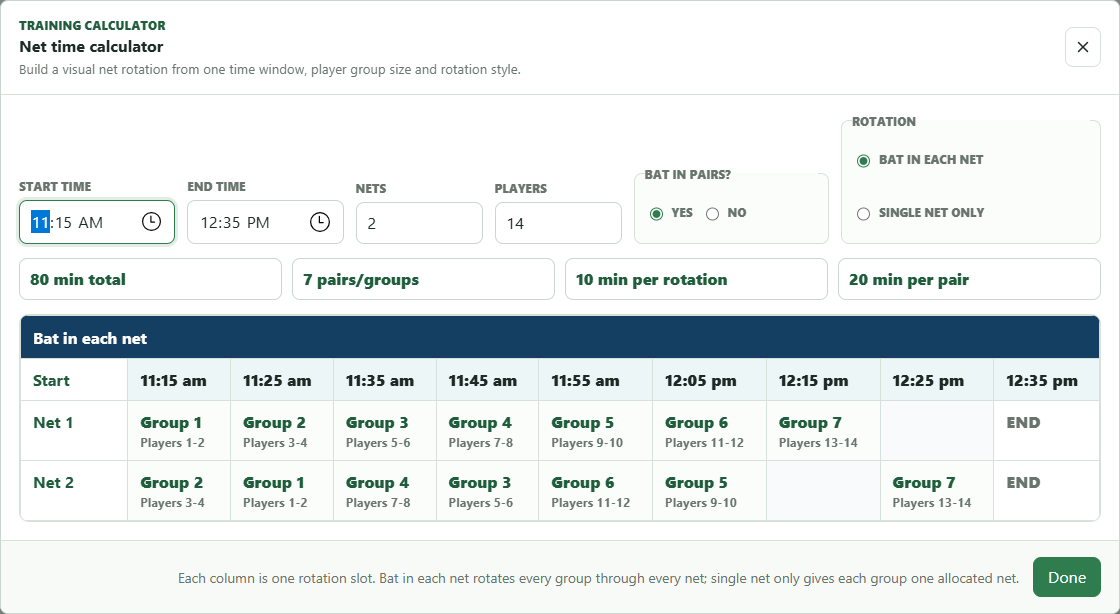
The planner uses session time, coaches, groups, equipment and drill library rules.
Lock the drills you want to keep, regenerate the rest, and add rotation notes for coaches.
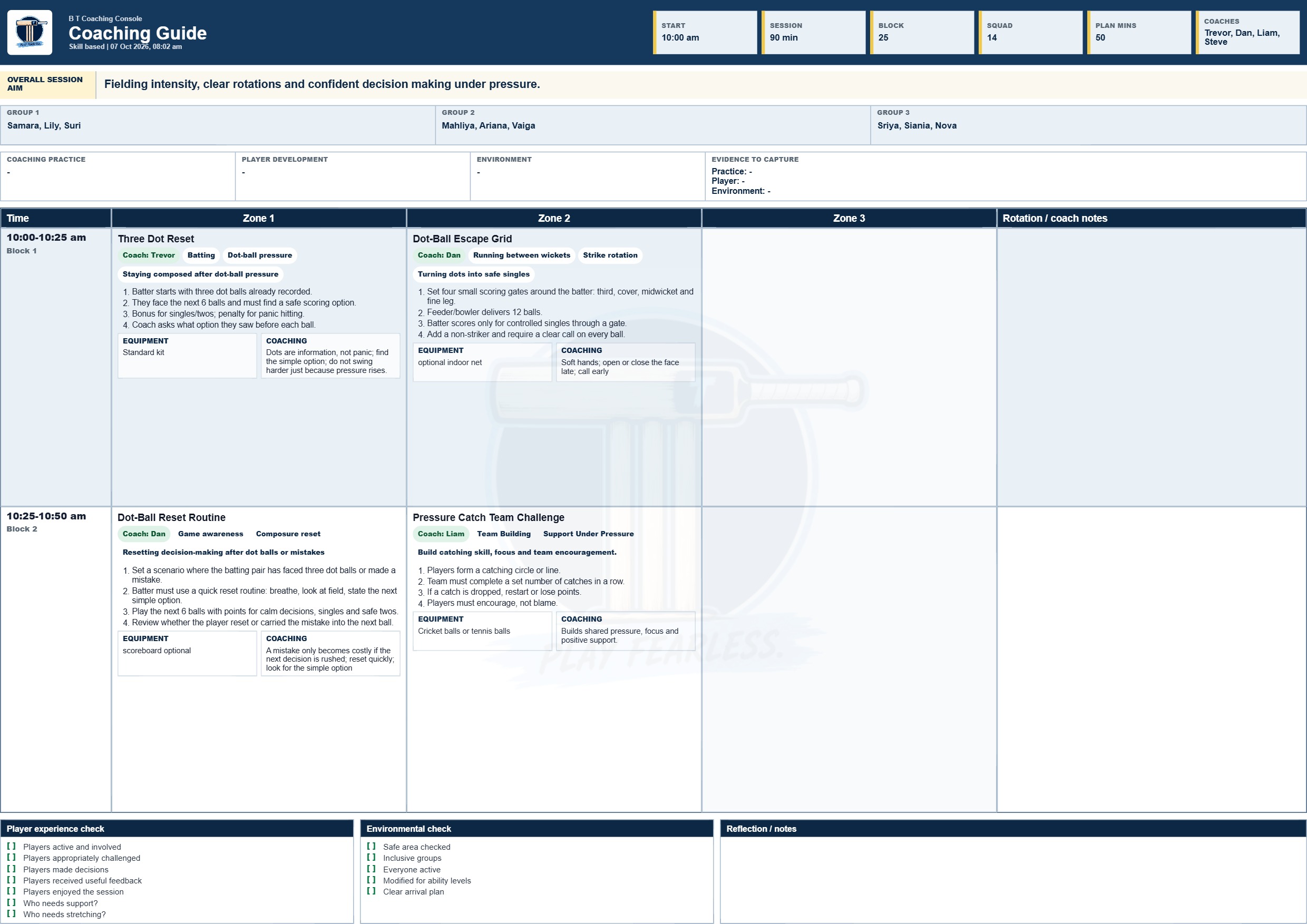
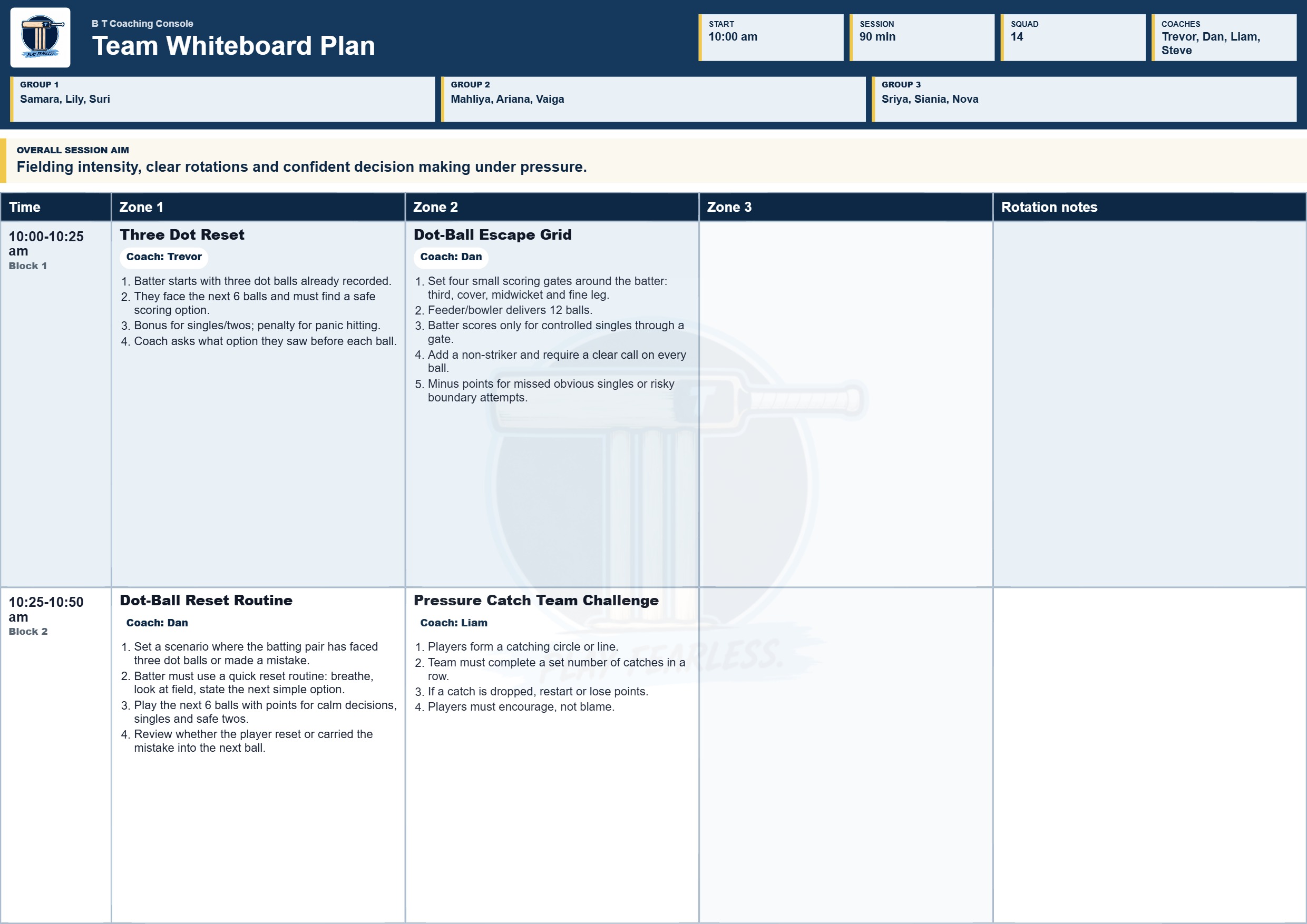
Download coach-facing and player-facing JPEGs for phones, printouts or a whiteboard display.
Screenshots
Sample outputs
The live tool exports these as JPEGs so they work well on phones, tablets and printers without relying on each device's PDF scaling.
Suggested OPSPS page copy
This demonstration shows how the coaching console can help prepare structured, age-appropriate training sessions. A live version would be access controlled and set up with the club's preferred drill library, coaching language and logo.